Cell-Based Architecture: Fault Isolation, Blast Radius Reduction & Global Scale
A single misconfigured feature flag rolls out globally and takes down every user on your platform simultaneously. A database migration targeting one tenant locks a shared table and degrades 50,000 other tenants. These are the blast radius problems that haunt horizontally scaled microservices at global scale. Cell-based architecture — adopted at production by Slack, Amazon, DoorDash, and Netflix — solves them by decomposing a platform into self-contained, independently deployable cells, each serving a bounded slice of your user population. In this deep dive, we explore the mechanics, the Java/Spring Boot implementation patterns, Kubernetes deployment strategies, and the real-world trade-offs of going cellular.
Table of Contents
- The Problem: Global Outages from Local Failures
- What Is Cell-Based Architecture?
- Anatomy of a Cell
- Cell Router Design: Consistent Hashing for User Assignment
- Cell-Local Data: Sharding Strategy and Cross-Cell Coordination
- Spring Boot Cell Implementation Pattern
- Cell Deployment: Kubernetes Namespace per Cell, HPA per Cell
- Traffic Management: Cell-Level Circuit Breakers and Load Shedding
- Observability: Per-Cell Metrics, Cell Health Scoring, and Alert Routing
- Real-World Patterns: Slack, DoorDash, and Amazon
- When to Use Cell-Based Architecture
- Key Takeaways
- Conclusion
1. The Problem: Global Outages from Local Failures
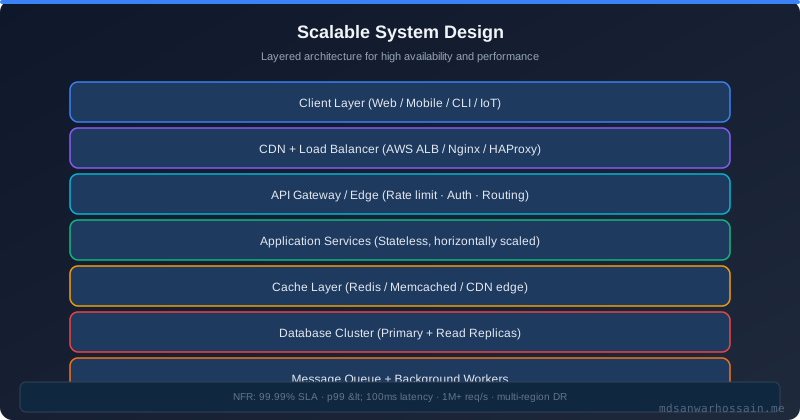
Traditional microservices architecture distributes services horizontally across a cluster, but the cluster itself is a single global failure domain. When a bad deployment reaches your user-service, it reaches all replicas globally within minutes. When a downstream dependency degrades, every service instance that calls it starts queuing requests and exhausting connection pools simultaneously. The failure blast radius is effectively the entire platform.
Consider three real failure patterns that cell-based architecture specifically targets:
- Bad deployment blast: A new JAR with a memory leak is rolled out via a canary that reaches 100% of pods within 30 minutes. All users are affected during the rollback window.
- Noisy neighbour blast: A single large enterprise tenant runs a bulk export job that saturates a shared database read replica. Thousands of smaller tenants experience elevated latency with no awareness that they are collateral victims.
- Cascading dependency failure: A payment processor degradation causes connection pool exhaustion in your checkout service. Because checkout shares a thread pool with your product search service via a shared Spring Boot instance, search also becomes slow — even though the payment processor is entirely unrelated to searching.
The root cause of all these failures is shared global state — shared deployments, shared databases, shared message topics, shared thread pools. Cell-based architecture eliminates sharing as the default and makes isolation the architectural primitive.
2. What Is Cell-Based Architecture?
A cell is a self-contained, independently deployable slice of your entire platform stack — it includes its own compute (services), its own data storage, its own message broker partitions, and its own networking boundaries. Each cell serves a predetermined, non-overlapping partition of your user population. Cells do not share infrastructure with each other; they share only the cell router that determines which cell each request enters.
Think of it as sharding your entire platform, not just your database. Instead of shard-per-tenant for the database only, you shard every layer: the API services, the caches, the queues, and the storage. A failure in cell 7's database only degrades the users assigned to cell 7. Cell 1 through 6 and 8 through N continue operating nominally.
Industry examples:
- Slack partitions its real-time messaging infrastructure into cells by workspace cluster. A deployment to one cell's message fanout service doesn't affect workspaces in other cells.
- Amazon implements cells as Availability Zone partitions for services like Route 53, DynamoDB, and IAM — each AZ is designed to operate independently even during regional partial failures.
- DoorDash uses geographic cells (geo-cells) for its delivery logistics engine — a failure in the Chicago cell doesn't propagate to the San Francisco or New York cells.
3. Anatomy of a Cell
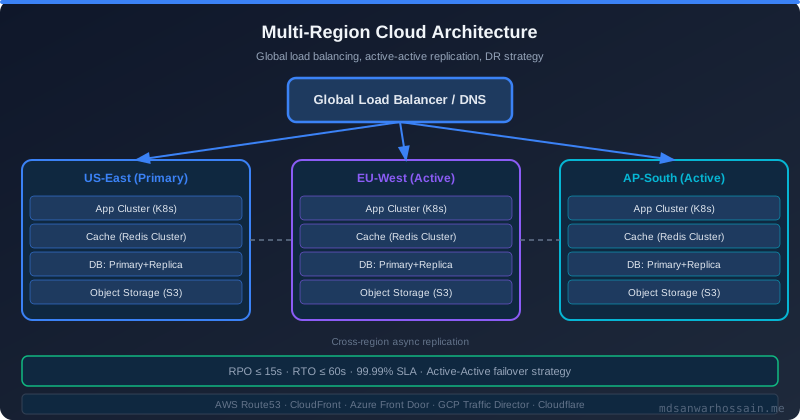
Every cell in a well-designed cellular system contains five core components. Understanding each is essential before implementing cells in Spring Boot and Kubernetes.
- Cell Router: The single global entry point. The router maps a request's identity key (user ID, tenant ID, geo hash) to a cell using consistent hashing. The router itself must be stateless, lightweight, and highly available — it is the one shared component in the architecture.
- Cell Boundary: A hard network boundary enforced by Kubernetes NetworkPolicy or a service mesh sidecar. No service inside cell N may call a service inside cell M directly. Cross-cell communication must go through a defined cross-cell API gateway or async event bridge.
- Cell-Local Storage: Each cell owns its own database shard or schema. In practice this is often a dedicated PostgreSQL schema, a DynamoDB partition key prefix, or a separate Redis cluster per cell. No shared connection pool or database cluster spans multiple cells.
- Cell-Local Messaging: Kafka topics are partitioned per cell using a naming convention (e.g.,
orders.cell-7). Consumer groups are scoped to the cell. A misconfigured consumer in cell 7 cannot accidentally consume messages intended for cell 3. - Cell Controller: A control-plane operator (often a Kubernetes CRD controller) that manages cell lifecycle — provisioning, health-check, draining users out of an unhealthy cell and redirecting them to a standby cell, and managing cell-level deployments independently of other cells.
4. Cell Router Design: Consistent Hashing for User Assignment
The cell router must deterministically map a user to a cell on every request without making a database lookup on the hot path. Consistent hashing achieves this: each cell occupies a range on a virtual ring, and a user's key is hashed to a position on the ring. The cell that owns that ring position handles the user.
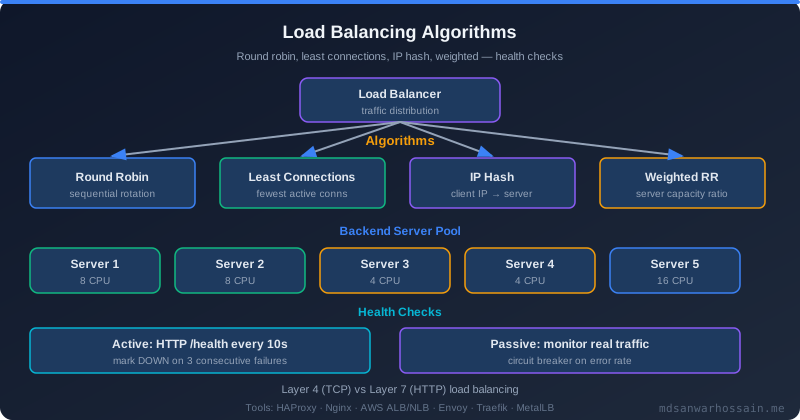
Below is a Java implementation of a cell router using a consistent hash ring with virtual nodes to ensure even distribution:
import java.nio.charset.StandardCharsets;
import java.security.MessageDigest;
import java.util.SortedMap;
import java.util.TreeMap;

@Component
public class CellRouter {

    private static final int VIRTUAL_NODES_PER_CELL = 150;
    private final SortedMap<Long, String> ring = new TreeMap<>();

    @PostConstruct
    public void buildRing() {
        // Cells registered at startup from configuration
        List<String> cells = cellRegistry.getActiveCells(); // e.g. ["cell-1","cell-2",...]
        for (String cellId : cells) {
            for (int v = 0; v < VIRTUAL_NODES_PER_CELL; v++) {
                long hash = hash(cellId + "#" + v);
                ring.put(hash, cellId);
            }
        }
    }

    public String resolveCell(String userId) {
        if (ring.isEmpty()) throw new IllegalStateException("Cell ring is empty");
        long hash = hash(userId);
        SortedMap<Long, String> tailMap = ring.tailMap(hash);
        // Wrap around the ring if we're past the last node
        Long nodeKey = tailMap.isEmpty() ? ring.firstKey() : tailMap.firstKey();
        return ring.get(nodeKey);
    }

    private long hash(String key) {
        try {
            MessageDigest md = MessageDigest.getInstance("MD5");
            byte[] digest = md.digest(key.getBytes(StandardCharsets.UTF_8));
            // Use first 8 bytes as a positive long
            long h = 0;
            for (int i = 0; i < 8; i++) {
                h = (h << 8) | (digest[i] & 0xFF);
            }
            return h & Long.MAX_VALUE;
        } catch (Exception e) {
            throw new RuntimeException("Hash computation failed", e);
        }
    }
}
The router is deployed as a standalone Spring Boot Gateway instance fronting all cells. It reads the X-User-Id header (or JWT sub claim), resolves the cell, and rewrites the downstream URL to the target cell's internal service endpoint:
@Component
public class CellRoutingFilter implements GlobalFilter, Ordered {

    private final CellRouter cellRouter;
    private final CellEndpointRegistry endpointRegistry;

    @Override
    public Mono<Void> filter(ServerWebExchange exchange, GatewayFilterChain chain) {
        String userId = exchange.getRequest().getHeaders()
                               .getFirst("X-User-Id");
        if (userId == null) {
            exchange.getResponse().setStatusCode(HttpStatus.UNAUTHORIZED);
            return exchange.getResponse().setComplete();
        }

        String cellId = cellRouter.resolveCell(userId);
        String cellBaseUrl = endpointRegistry.getBaseUrl(cellId);

        // Mutate the request URI to point at the resolved cell
        URI newUri = UriComponentsBuilder
                .fromHttpUrl(cellBaseUrl)
                .path(exchange.getRequest().getPath().value())
                .query(exchange.getRequest().getURI().getRawQuery())
                .build(true)
                .toUri();

        ServerHttpRequest mutated = exchange.getRequest()
                .mutate()
                .uri(newUri)
                .header("X-Cell-Id", cellId)
                .build();

        return chain.filter(exchange.mutate().request(mutated).build());
    }

    @Override
    public int getOrder() { return -1; } // Run before all other filters
}
5. Cell-Local Data: Sharding Strategy and Cross-Cell Coordination
Each cell owns a dedicated PostgreSQL schema (or separate database instance for stricter isolation). Spring Boot's multi-datasource support enables runtime routing of persistence calls to the correct cell schema based on the cell context propagated through the request thread.
The critical design constraint: data must not be read by one cell and written by another in the same request flow. Cross-cell data access breaks the isolation guarantee. If a user's profile lives in cell 3 and a request for that user arrives (correctly) at cell 3, all reads and writes must stay within cell 3's database shard.
@Autowired repository using the global datasource silently bypasses cell isolation. Enforce cell boundaries with a custom Spring BeanDefinitionRegistryPostProcessor that fails the application context startup if any repository bean is wired to the global datasource when cell mode is enabled. Make the violation a build-time contract, not a runtime surprise.
Cross-cell coordination — rare but sometimes necessary for global aggregations or user migrations — must go through an asynchronous event bridge, never direct synchronous calls. Publish a domain event to a global coordination topic, and a separate aggregation service (outside any cell) consumes and merges the results:
// Cross-cell events flow through a global coordination topic
// Cells produce; a stateless aggregator outside cells consumes
@KafkaListener(topics = "global.user-migration-events", groupId = "cell-coordinator")
public void onUserMigrationEvent(UserMigrationEvent event) {
    // Step 1: Mark user as migrating in source cell (async, idempotent)
    cellCommandGateway.drainUser(event.sourceCell(), event.userId());

    // Step 2: Provision user's data in target cell
    cellCommandGateway.provisionUser(event.targetCell(), event.userSnapshot());

    // Step 3: Update the cell router mapping atomically
    cellRouter.reassignUser(event.userId(), event.targetCell());

    // Step 4: Release the drain in source cell after propagation delay
    scheduler.schedule(() ->
        cellCommandGateway.releaseUser(event.sourceCell(), event.userId()),
        Duration.ofSeconds(30));
}
6. Spring Boot Cell Implementation Pattern
Within each cell, the Spring Boot services are standard microservices with a cell-awareness layer injected via a servlet filter, a cell-scoped datasource routing, and cell-scoped Kafka producers. The cell identity is propagated via a thread-local context holder.
CellContextFilter — reads the X-Cell-Id header set by the cell router and stores it in a ThreadLocal for the duration of the request:
@Component
@Order(Ordered.HIGHEST_PRECEDENCE)
public class CellContextFilter extends OncePerRequestFilter {

    @Override
    protected void doFilterInternal(HttpServletRequest request,
                                    HttpServletResponse response,
                                    FilterChain chain)
            throws ServletException, IOException {

        String cellId = request.getHeader("X-Cell-Id");
        if (cellId == null) {
            // Default to the cell this service belongs to (env var)
            cellId = System.getenv("CELL_ID");
        }
        CellContext.setCurrent(cellId);
        response.setHeader("X-Served-By-Cell", cellId);
        try {
            chain.doFilter(request, response);
        } finally {
            CellContext.clear(); // Prevent ThreadLocal leakage
        }
    }
}

// Thin context holder — no dependencies, fast access
public final class CellContext {
    private static final ThreadLocal<String> CELL_ID = new ThreadLocal<>();
    public static void setCurrent(String cellId) { CELL_ID.set(cellId); }
    public static String getCurrent() { return CELL_ID.get(); }
    public static void clear() { CELL_ID.remove(); }
}
CellDataSource — a Spring AbstractRoutingDataSource that selects the correct cell datasource based on the thread-local context:
@Configuration
public class CellDataSourceConfig {

    @Bean
    @Primary
    public DataSource cellRoutingDataSource(
            @Qualifier("cell1DataSource") DataSource cell1Ds,
            @Qualifier("cell2DataSource") DataSource cell2Ds,
            @Qualifier("cell3DataSource") DataSource cell3Ds) {

        Map<Object, Object> targetDataSources = Map.of(
            "cell-1", cell1Ds,
            "cell-2", cell2Ds,
            "cell-3", cell3Ds
        );

        AbstractRoutingDataSource routing = new AbstractRoutingDataSource() {
            @Override
            protected Object determineCurrentLookupKey() {
                String cellId = CellContext.getCurrent();
                if (cellId == null) throw new IllegalStateException(
                    "No cell context set — request did not pass through CellContextFilter");
                return cellId;
            }
        };
        routing.setTargetDataSources(targetDataSources);
        routing.setDefaultTargetDataSource(cell1Ds);
        routing.afterPropertiesSet();
        return routing;
    }
}
CellKafkaProducer — routes messages to the cell-scoped Kafka topic, preventing producers from accidentally publishing to another cell's topic:
@Service
public class CellKafkaProducer {

    private final KafkaTemplate<String, Object> kafkaTemplate;

    // Resolves topic name by injecting cell suffix: "orders.cell-3"
    public CompletableFuture<SendResult<String, Object>> publish(
            String baseTopic, String key, Object payload) {

        String cellId = CellContext.getCurrent();
        String cellTopic = baseTopic + "." + cellId;
        return kafkaTemplate.send(cellTopic, key, payload)
            .thenApply(result -> {
                log.debug("Published to {} partition {} offset {}",
                    cellTopic,
                    result.getRecordMetadata().partition(),
                    result.getRecordMetadata().offset());
                return result;
            });
    }
}
7. Cell Deployment: Kubernetes Namespace per Cell, HPA per Cell
In Kubernetes, each cell maps to a dedicated namespace. This provides immediate resource quota isolation, RBAC separation, and NetworkPolicy enforcement. A Helm chart per cell (or Helmfile with per-cell value overrides) manages the full cell stack — all services, ConfigMaps, Secrets, and HPAs.
# helmfile.yaml — manages all cells declaratively
helmfiles:
  - path: "cells/cell-1/helmfile.yaml"
  - path: "cells/cell-2/helmfile.yaml"
  - path: "cells/cell-3/helmfile.yaml"

---
# cells/cell-3/helmfile.yaml
releases:
  - name: order-service-cell-3
    namespace: cell-3
    chart: ../../charts/order-service
    values:
      - cellId: cell-3
      - replicaCount: 4
      - env:
          CELL_ID: cell-3
          DB_URL: jdbc:postgresql://pg-cell-3:5432/orders
          KAFKA_BOOTSTRAP: kafka-cell-3:9092

---
# HPA scoped to cell-3 namespace only
apiVersion: autoscaling/v2
kind: HorizontalPodAutoscaler
metadata:
  name: order-service-hpa
  namespace: cell-3
spec:
  scaleTargetRef:
    apiVersion: apps/v1
    kind: Deployment
    name: order-service-cell-3
  minReplicas: 2
  maxReplicas: 20
  metrics:
    - type: Resource
      resource:
        name: cpu
        target:
          type: Utilization
averageUtilization: 65NetworkPolicy within the cluster ensures no service in namespace: cell-3 can reach a pod in namespace: cell-1:
apiVersion: networking.k8s.io/v1
kind: NetworkPolicy
metadata:
  name: cell-isolation
  namespace: cell-3
spec:
  podSelector: {}          # Apply to all pods in cell-3
  policyTypes:
    - Ingress
    - Egress
  ingress:
    - from:
        - namespaceSelector:
            matchLabels:
              name: cell-3      # Only allow ingress from same cell
        - namespaceSelector:
            matchLabels:
              role: cell-router # Allow ingress from the global cell router
  egress:
    - to:
        - namespaceSelector:
            matchLabels:
              name: cell-3
        - namespaceSelector:
            matchLabels:
              role: cell-router
    - to:
        - ipBlock:
            cidr: 10.100.0.0/16  # Allow egress to managed DBs and Kafka
8. Traffic Management: Cell-Level Circuit Breakers and Load Shedding
Cell-level circuit breakers in the cell router prevent a degraded cell from dragging down the router itself. The router maintains a per-cell health state derived from active health-check probes and response latency percentiles. When a cell's error rate exceeds a threshold, the circuit opens and the router temporarily redirects affected users to a hot-standby overflow cell.
@Component
public class CellCircuitBreaker {

    // Resilience4j registry with per-cell circuit breaker instances
    private final CircuitBreakerRegistry circuitBreakerRegistry;
    private final CellRouter cellRouter;
    private final OverflowCellSelector overflowSelector;

    public String resolveHealthyCell(String userId) {
        String primaryCell = cellRouter.resolveCell(userId);
        CircuitBreaker cb = circuitBreakerRegistry.circuitBreaker(primaryCell);

        // If primary cell circuit is OPEN, route to overflow
        if (cb.getState() == CircuitBreaker.State.OPEN) {
            String overflowCell = overflowSelector.selectOverflow(primaryCell);
            log.warn("Cell {} circuit OPEN, routing user {} to overflow {}",
                     primaryCell, userId, overflowCell);
            return overflowCell;
        }
        return primaryCell;
    }

    // Called by health-check scheduler every 10 seconds
    @Scheduled(fixedDelay = 10_000)
    public void probeAllCells() {
        cellRouter.getActiveCells().forEach(cellId -> {
            CircuitBreaker cb = circuitBreakerRegistry.circuitBreaker(cellId);
            try {
                cb.executeCallable(() -> cellHealthClient.ping(cellId));
            } catch (Exception e) {
                log.warn("Cell {} health probe failed: {}", cellId, e.getMessage());
            }
        });
    }
}
Load shedding at the cell level uses a token bucket rate limiter configured per-cell in the cell router. Each cell has a declared capacity (requests per second), and the router enforces it before forwarding requests, returning 503 Service Unavailable with a Retry-After header when a cell is at capacity:
// Per-cell RateLimiter using Resilience4j
RateLimiterConfig config = RateLimiterConfig.custom()
    .limitRefreshPeriod(Duration.ofSeconds(1))
    .limitForPeriod(cellCapacity.getOrDefault(cellId, 5000))
    .timeoutDuration(Duration.ofMillis(0)) // Don't wait — shed immediately
    .build();

RateLimiter cellLimiter = RateLimiterRegistry.of(config)
                                              .rateLimiter(cellId);

boolean permitted = cellLimiter.acquirePermission();
if (!permitted) {
    exchange.getResponse().setStatusCode(HttpStatus.SERVICE_UNAVAILABLE);
    exchange.getResponse().getHeaders().set("Retry-After", "1");
    exchange.getResponse().getHeaders().set("X-Cell-Shed", cellId);
    return exchange.getResponse().setComplete();
}
9. Observability: Per-Cell Metrics, Cell Health Scoring, and Alert Routing
Every metric emitted by services within a cell must carry a cell_id label so that Prometheus can slice dashboards and alerts per cell. In Spring Boot with Micrometer, this is achieved with a common tag applied at the MeterRegistry level via a MeterFilter:
@Configuration
public class CellMetricsConfig {

    @Value("${cell.id}")
    private String cellId;

    @Bean
    public MeterRegistryCustomizer<MeterRegistry> cellTagCustomizer() {
        // Adds cell_id="cell-3" to every metric automatically
        return registry -> registry.config()
            .commonTags("cell_id", cellId, "region", System.getenv("REGION"));
    }
}

// Prometheus alert rule scoped to individual cells
// alert: CellHighErrorRate
// expr: rate(http_server_requests_seconds_count{status=~"5..",cell_id="cell-3"}[5m])
//       / rate(http_server_requests_seconds_count{cell_id="cell-3"}[5m]) > 0.05
// for: 2m
// labels:
//   severity: critical
//   cell: cell-3
// annotations:
//   summary: "Cell cell-3 error rate above 5% for 2 minutes"
A cell health score aggregates multiple signals into a single 0–100 score per cell, enabling the cell router's circuit breaker to use a richer signal than a binary up/down health check:
@Service
public class CellHealthScorer {

    public int score(String cellId) {
        int score = 100;

        // Deduct for elevated error rate
        double errorRate = metricsClient.getErrorRate(cellId, Duration.ofMinutes(5));
        if (errorRate > 0.01) score -= (int)(errorRate * 500); // -5 pts per 1% error

        // Deduct for p99 latency above SLO
        double p99Ms = metricsClient.getP99Latency(cellId, Duration.ofMinutes(5));
        if (p99Ms > 200) score -= Math.min(30, (int)((p99Ms - 200) / 10));

        // Deduct for database connection pool saturation
        double poolUtil = metricsClient.getConnectionPoolUtilization(cellId);
        if (poolUtil > 0.8) score -= (int)((poolUtil - 0.8) * 150);

        // Deduct for Kafka consumer lag in cell topics
        long consumerLag = metricsClient.getConsumerLag(cellId);
        if (consumerLag > 10_000) score -= Math.min(20, (int)(consumerLag / 5000));

        return Math.max(0, score);
    }
}
10. Real-World Patterns: Slack, DoorDash, and Amazon
Understanding how hyperscalers actually implemented cell-based architecture reveals the practical decisions behind the theory.
Slack's Cell Architecture: Slack partitions its messaging and presence infrastructure by workspace cluster ("sharding channels"). Each cluster is a self-contained set of servers running the Slack real-time messaging stack, with its own Vitess MySQL cluster. A deployment of a new version of the message fanout service is rolled out to one cluster at a time, typically over several days. This means a bug in the new fanout version affects only the workspaces in the first cluster that received it — giving Slack time to detect and roll back before the majority of workspaces are affected.
DoorDash's Geo-Cells: DoorDash's delivery logistics engine is partitioned by geography. Each geo-cell serves a metropolitan market (e.g., Chicago, NYC, SF). The driver location tracking, order dispatch, and ETA prediction engines within a geo-cell are entirely self-contained. A failure in the Chicago cell's dispatch algorithm doesn't affect the SF cell's ability to dispatch deliveries. Geographic proximity also improves latency: drivers and consumers in Chicago are routed to the Chicago cell, which runs in an AWS us-east-2 region datacenter physically close to the market.
Amazon's Availability Zones as Cells: Amazon's foundational insight — later documented in their AWS re:Invent talks on "Avoiding Fallback in Distributed Systems" — is that each Availability Zone should function as an independent, isolated cell. Services like DynamoDB, Route 53, and IAM are designed so that a failure in us-east-1a does not cause failures in us-east-1b or us-east-1c. The Availability Zone is Amazon's default blast radius boundary at the infrastructure level. Services built on top of this model inherit the isolation.
"The goal of cell-based architecture is not to eliminate failures — failures are inevitable at scale. The goal is to make every failure a small failure. A failure that affects 0.5% of your users instead of 100% of your users is a fundamentally different operational experience."
— AWS Architecture Blog, "Avoiding Fallback in Distributed Systems"
The comparison below illustrates how cell-based architecture changes the failure characteristics compared to monoliths and standard microservices:
| Dimension | Monolith | Standard Microservices | Cell-Based Architecture |
|---|---|---|---|
| Blast Radius | 100% of users | All users of a service | 1/N users (1 cell of N) |
| Deployment Safety | Blue-green or rolling | Canary per service | Canary per cell (1 cell at a time) |
| Noisy Neighbour | Severe (shared DB) | Moderate (shared clusters) | Eliminated (per-cell storage) |
| Operational Complexity | Low | Medium | High (N × microservice complexity) |
| Cross-Tenant Queries | Trivial (single DB) | Possible with joins | Requires async aggregation |
| Regulatory Isolation | Difficult | Possible with effort | Natural (dedicated cell per region/tenant class) |
11. When to Use Cell-Based Architecture
Cell-based architecture is not universally applicable. It is a high-leverage pattern for specific contexts and a significant overhead burden in others. Use the following criteria to evaluate fit:
Good fit when:
- Your platform serves 500,000+ users and blast radius from a bad deployment is measured in millions of dollars of revenue loss per hour.
- You have a SaaS multi-tenant model where tenant data can be naturally partitioned by tenant ID or geography.
- Regulatory requirements (GDPR, HIPAA, data residency) demand that specific user segments' data stay in a geographic boundary — a dedicated cell per region satisfies this cleanly.
- Your data model has clear partition keys (user ID, tenant ID, order ID prefix, geo hash) with rare need for cross-partition aggregation in real-time paths.
- Your engineering organization has the platform maturity to operate Kubernetes multi-namespace deployments, independent per-cell database management, and cell-aware monitoring.
Poor fit when:
- Your user base is under 100,000 and a single Kubernetes cluster with standard blue-green deployments provides adequate reliability.
- Your data model requires frequent cross-user or cross-tenant joins in real-time API paths — social graphs, recommendation engines, and fraud detection that compare across all users are fundamentally anti-cellular.
- Your team has fewer than 8–10 engineers — the operational overhead of managing N cells' worth of infrastructure will consume engineering capacity that could go toward product features.
- Your deployment cadence is infrequent (monthly releases) — the blast radius benefit of cells is most valuable when deployment velocity is high (multiple times per day).
12. Key Takeaways
- Cells are platform shards, not service shards — every layer (compute, data, messaging) is duplicated per cell, giving true fault isolation instead of partial isolation.
- Consistent hashing in the cell router provides deterministic, database-free user-to-cell assignment with minimal rebalancing when cells are added or removed.
- Spring Boot cell isolation is implemented via CellContextFilter (ThreadLocal propagation), AbstractRoutingDataSource (per-cell DB routing), and cell-namespaced Kafka topics.
- Kubernetes namespace-per-cell enforces resource quotas, RBAC boundaries, and NetworkPolicy isolation at the platform level — not just by convention.
- Cell-level circuit breakers in the router enable automatic overflow routing when a cell degrades, limiting user-visible impact to the window between failure detection and circuit opening.
- The
cell_idmetric tag is the foundation of per-cell observability — without it, monitoring collapses back to the global view and the isolation benefit is invisible to the ops team. - Cross-cell operations must be asynchronous — user migration, global aggregations, and compliance reporting flow through event bridges, never direct synchronous service-to-service calls across cell boundaries.
- Start with 3–5 cells — operational complexity scales with cell count; validate the pattern at small scale before expanding to 20+ cells.
13. Conclusion
Cell-based architecture represents a fundamental shift in how we think about reliability at scale. Instead of building increasingly sophisticated global fault-tolerance mechanisms — circuit breakers, bulkheads, retries, and timeouts — to protect a shared global system from its own components, cell-based architecture eliminates sharing as the default design choice. Each cell is a small, manageable, independently operable unit of the platform, and the blast radius of any failure is capped by the cell boundary.
The implementation in Spring Boot is achievable without exotic frameworks: a servlet filter for context propagation, AbstractRoutingDataSource for cell-local database routing, cell-namespaced Kafka topics, and a Spring Cloud Gateway cell router backed by a consistent hash ring. Kubernetes namespaces and NetworkPolicy enforce the isolation at the infrastructure level. Micrometer common tags and per-cell Prometheus alerts make the isolation visible in your monitoring stack.
The path to cell-based architecture is incremental. Begin by instrumenting your metrics with a cell_id tag even before you have true cell isolation — this builds the observability foundation. Then introduce cell-local databases one service at a time. Finally, deploy the cell router and enforce the network boundary. By the time you've completed the migration, a bad deployment at 2 AM affects 1 cell's users, not all of them — and that changes the operational experience of running a platform at scale more than any other architectural investment.
Leave a Comment
Related Posts

Software Engineer · Java · Spring Boot · Microservices