PostgreSQL Query Optimization in Production: Indexes, EXPLAIN ANALYZE & Slow Query Elimination
It was 9:47 AM on a Monday when our on-call Slack channel exploded. The analytics dashboard was timing out across all customer tenants. The culprit turned out to be a single SQL query — one that had been running fine in staging with 50,000 rows, but collapsed under 18 million rows in production.
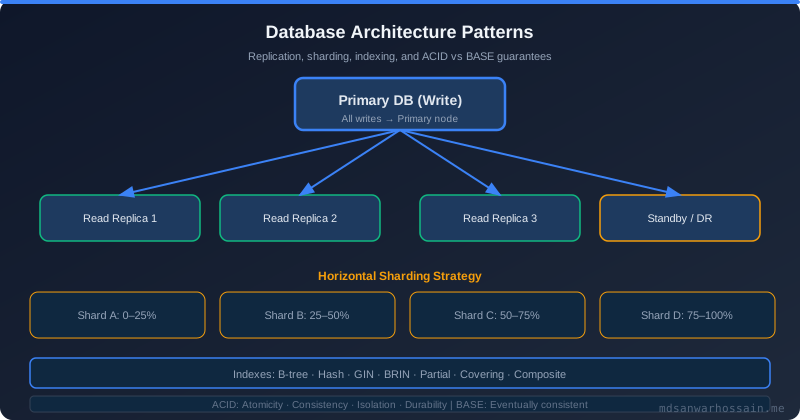
Table of Contents
- The 3-Second Dashboard Query That Brought Down Production
- Understanding EXPLAIN ANALYZE: Reading Query Plans Like a Pro
- B-Tree vs GIN vs GiST vs BRIN Indexes: When to Use Each
- Partial Indexes: The Secret Weapon for High-Selectivity Queries
- Composite Index Column Order: The Hidden Performance Trap
- N+1 Query Problem: Detection and Elimination in JPA/Hibernate
- Connection Pool Tuning: HikariCP + PgBouncer Configuration
- Table Partitioning vs Sharding: When PostgreSQL Reaches Its Limits
- Key Takeaways
1. The 3-Second Dashboard Query That Brought Down Production
It was 9:47 AM on a Monday when our on-call Slack channel exploded. The analytics dashboard was timing out across all customer tenants. The culprit turned out to be a single SQL query — one that had been running fine in staging with 50,000 rows, but collapsed under 18 million rows in production.
The query joined orders, order_items, customers, and products, applied a date range filter, grouped results for aggregation, and sorted by revenue. What looked like clean SQL was executing a sequential scan over 18 million order rows, performing a nested loop join with no index on the foreign key, and sorting a 600 MB intermediate result set entirely in memory.
Average execution time: 3.2 seconds per request. With 200 concurrent dashboard users, the database connection pool saturated instantly, cascading failures across every service that touched Postgres. The fix — two targeted indexes and one query rewrite — brought execution time down to 14ms. This article walks through every technique we used, grounded in real EXPLAIN ANALYZE output and production tuning patterns.
2. Understanding EXPLAIN ANALYZE: Reading Query Plans Like a Pro
EXPLAIN ANALYZE is your primary diagnostic tool in PostgreSQL. It doesn't just show the plan the planner chose — it actually executes the query and shows you exactly how long each node took, how many rows were processed, and whether the planner's estimates were accurate. The gap between estimated and actual rows is the most valuable signal: a large mismatch means stale statistics, and you need to run ANALYZE on the table.
The key metrics to focus on are: cost (startup cost .. total cost in arbitrary planner units), actual time (in milliseconds per execution), actual rows, and the node type. A Seq Scan reads every page of the table. An Index Scan follows the B-tree to find matching tuples. An Index Only Scan is the fastest — it never touches the heap at all. Bitmap Index Scans are used when multiple rows match an index and the planner batches the heap access to reduce random I/O.
-- Before optimization: Seq Scan on 18M rows
EXPLAIN ANALYZE
SELECT o.id, c.name, SUM(oi.amount) AS revenue
FROM orders o
JOIN order_items oi ON oi.order_id = o.id
JOIN customers c ON c.id = o.customer_id
WHERE o.created_at BETWEEN '2026-01-01' AND '2026-03-01'
  AND o.status = 'COMPLETED'
GROUP BY o.id, c.name
ORDER BY revenue DESC;

-- Output (before index):
Gather Merge  (cost=892451.23..892631.78 rows=1479 width=52) (actual time=3124.891..3198.442 rows=42310 loops=1)
  ->  Sort  (cost=891451.20..891454.90 rows=1479 width=52) (actual time=3101.334..3108.209 rows=42310 loops=3)
        Sort Key: (sum(oi.amount)) DESC
        Sort Method: external merge  Disk: 5312kB
        ->  HashAggregate  (cost=891367.12..891382.12 rows=1479 width=52) (actual time=3044.219..3067.881 rows=42310 loops=3)
              ->  Hash Join  (cost=312.80..889847.12 rows=203999 width=28) (actual time=12.341..2912.441 rows=203999 loops=3)
                    ->  Seq Scan on orders o  (cost=0.00..874123.00 rows=18000000 width=20)
                          (actual time=0.033..2101.334 rows=18000000 loops=1)
                          Filter: ((status = 'COMPLETED') AND (created_at BETWEEN ...))
                          Rows Removed by Filter: 17796001

-- After adding index on (created_at, status):
Index Scan using idx_orders_created_status on orders o
  (cost=0.56..1842.34 rows=42310 width=20) (actual time=0.091..8.441 rows=42310 loops=1)
  Index Cond: ((created_at >= '2026-01-01') AND (created_at <= '2026-03-01'))
  Filter: (status = 'COMPLETED')
Planning Time: 1.234 ms
Execution Time: 14.892 ms
Notice that before the index, 17.8 million rows were read and discarded by the filter — an enormously wasteful sequential scan. After adding a composite index on (created_at, status), PostgreSQL uses an Index Scan and touches only the 42,310 rows that actually match. Execution dropped from 3,124ms to 14ms — a 223× improvement from a single DDL statement.
3. B-Tree vs GIN vs GiST vs BRIN Indexes: When to Use Each
PostgreSQL supports multiple index types and choosing the wrong one is a common source of missed performance gains. Each type is optimized for a specific access pattern, and using the right one can mean the difference between a 1ms and a 500ms query.
B-Tree is the default and handles equality (=), range (<, >, BETWEEN), and ordering. It's appropriate for most columns including integers, timestamps, UUIDs, and short strings. B-Tree indexes support forward and backward scans efficiently and are the backbone of most production query optimization.
GIN (Generalized Inverted Index) is designed for multi-valued types — JSONB columns, arrays, and full-text search tsvector. A GIN index decomposes the value into its elements and builds an inverted map. For a JSONB column, it indexes every key and value individually, enabling fast @> (contains) and ? (key exists) operators. It's slower to build and write to than B-Tree but dramatically faster for these operators.
GiST (Generalized Search Tree) supports geometric types (point, box, polygon), range types (int4range, tsrange), and nearest-neighbor searches with PostGIS. If you need spatial queries like "find all stores within 10km" or range overlap queries like "find all reservations overlapping a given period", GiST is the right choice.
BRIN (Block Range Index) is extremely lightweight and ideal for very large tables where values are physically correlated with the insertion order — typically append-only tables like event logs, audit trails, or IoT sensor data stored with timestamps. A BRIN index stores only the min/max value per block range, making it tiny (often 100–1000× smaller than a B-Tree on the same column) at the cost of less precision. It's nearly useless on tables with random insertion order.
-- B-Tree: equality and range queries
CREATE INDEX idx_orders_customer_created ON orders(customer_id, created_at);

-- GIN: JSONB containment and full-text search
CREATE INDEX idx_products_metadata ON products USING GIN(metadata);
CREATE INDEX idx_articles_search ON articles USING GIN(to_tsvector('english', body));

-- GiST: geometric queries and range overlap
CREATE INDEX idx_locations_geo ON locations USING GIST(coordinates);
CREATE INDEX idx_reservations_period ON reservations USING GIST(reservation_period);

-- BRIN: large append-only time-series tables
CREATE INDEX idx_events_created_brin ON events USING BRIN(created_at) WITH (pages_per_range = 128);

-- Verify index usage with pg_stat_user_indexes
SELECT indexrelname, idx_scan, idx_tup_read, idx_tup_fetch
FROM pg_stat_user_indexes
WHERE relname = 'orders'
ORDER BY idx_scan DESC;
4. Partial Indexes: The Secret Weapon for High-Selectivity Queries
A partial index is built on only the rows that satisfy a WHERE predicate. This makes it dramatically smaller than a full-table index and significantly faster for queries that always filter on that condition. In a typical order management system, 95% of orders are in a terminal state (COMPLETED or CANCELLED), but the application almost always queries only the 5% that are PENDING or PROCESSING.
Building a full B-Tree index on created_at for all 18 million orders means 18 million index entries. Building a partial index only for PENDING orders means 900,000 entries — a 95% reduction in index size, which translates directly to faster scans and less memory pressure in the shared_buffers cache.
Partial indexes are also invaluable for enforcing conditional uniqueness — for example, ensuring that only one active subscription exists per customer while allowing multiple cancelled ones. They are one of the most underused PostgreSQL features in production systems.
-- Partial index for active/pending orders only (5% of rows)
CREATE INDEX idx_orders_pending ON orders(created_at)
WHERE status = 'PENDING';

-- Query automatically uses partial index when predicate matches
SELECT id, customer_id, total_amount
FROM orders
WHERE status = 'PENDING'
  AND created_at < NOW() - INTERVAL '30 minutes';
-- Uses idx_orders_pending (900K entries vs 18M full index)

-- Conditional unique constraint: only one active subscription per customer
CREATE UNIQUE INDEX idx_subscriptions_active_customer
ON subscriptions(customer_id)
WHERE status = 'ACTIVE';

-- Verify partial index size vs full index
SELECT indexname,
       pg_size_pretty(pg_relation_size(indexname::regclass)) AS index_size
FROM pg_indexes
WHERE tablename = 'orders';
-- idx_orders_pending:    42 MB
-- idx_orders_created_at: 780 MB (full index on same column)5. Composite Index Column Order: The Hidden Performance Trap
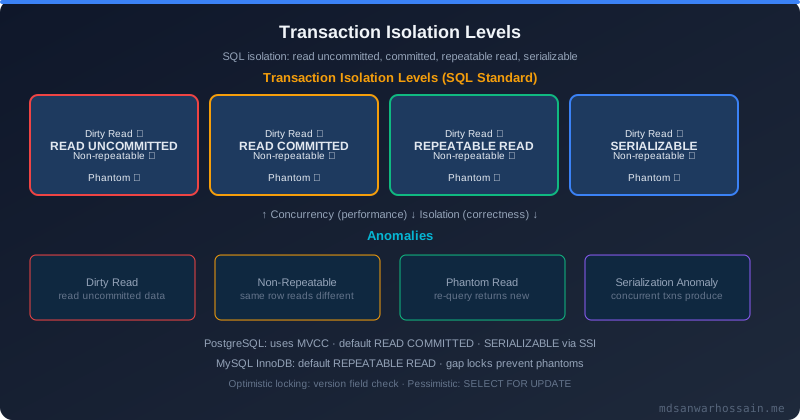
Composite indexes are powerful but easy to create incorrectly. The cardinal rule is: the most selective column — the one that eliminates the most rows — should come first. A common mistake is putting a low-cardinality column like status (which might have only 4 values) first in the index, making it nearly useless for narrowing down the result set.
PostgreSQL can use a composite index for prefix queries — a query on (a, b, c) can use an index on (a, b, c), (a, b), or (a) alone, but not (b) or (c) alone. This means column ordering dictates which query patterns the index supports. Plan your composite indexes around your most frequent query shapes, not your table schema.
Covering indexes (also called index-only scans) include all columns needed by a query using the INCLUDE clause, allowing PostgreSQL to satisfy the query entirely from the index without touching the heap. This is especially powerful for frequently executed SELECT queries on high-traffic tables.
-- BAD: low-cardinality column first (only 4 status values)
-- This index does almost nothing for filtering
CREATE INDEX idx_orders_bad ON orders(status, customer_id, created_at);

-- GOOD: high-cardinality column first (millions of customers)
CREATE INDEX idx_orders_good ON orders(customer_id, created_at, status);

-- Query benefits: customer_id eliminates 99.99% of rows immediately
SELECT id, status, total_amount
FROM orders
WHERE customer_id = 42
  AND created_at > NOW() - INTERVAL '90 days'
  AND status = 'COMPLETED';

-- Covering index: avoid heap access entirely (Index Only Scan)
CREATE INDEX idx_orders_covering
ON orders(customer_id, created_at)
INCLUDE (status, total_amount);
-- PostgreSQL can now return status and total_amount from the index
-- without reading the heap at all — fastest possible access pattern

-- Check for index-only scans in EXPLAIN ANALYZE output:
-- "Index Only Scan using idx_orders_covering on orders"
-- "Heap Fetches: 0"  <-- perfect: zero heap access
6. N+1 Query Problem: Detection and Elimination in JPA/Hibernate
The N+1 query problem is one of the most common performance killers in applications using JPA/Hibernate. It occurs when loading a collection of N parent entities triggers N additional queries to load each entity's lazy-loaded associations. Loading 100 orders that each lazily fetch their OrderItems results in 101 queries — 1 for orders, 100 for items — instead of the 1 or 2 queries that would be optimal.
Detection is straightforward: enable Hibernate's SQL logging in development (spring.jpa.show-sql=true) and look for repeating patterns. Better yet, use a library like datasource-proxy or p6spy in integration tests to assert a maximum query count. In production, use slow query logs combined with pg_stat_statements to identify query count spikes correlated with specific endpoints.
The fix depends on the use case. For relationships you always need, use JOIN FETCH in JPQL or @EntityGraph on the repository method to load everything in a single JOIN query. For optional associations you sometimes need, use batch fetching (@BatchSize) to convert N individual queries into a single WHERE id IN (...) batch query. Never use FetchType.EAGER globally — it causes its own cascade of problems.
// BAD: Causes N+1 — 1 query for orders + N queries for items
List<Order> orders = orderRepository.findByCustomerId(customerId);
for (Order order : orders) {
    // Each access triggers a new SELECT on order_items
    int itemCount = order.getOrderItems().size(); // N queries!
}

// FIX 1: JOIN FETCH in JPQL
@Query("SELECT o FROM Order o LEFT JOIN FETCH o.orderItems WHERE o.customerId = :customerId")
List<Order> findByCustomerIdWithItems(@Param("customerId") Long customerId);

// FIX 2: @EntityGraph on Spring Data repository
@EntityGraph(attributePaths = {"orderItems", "orderItems.product"})
List<Order> findByCustomerId(Long customerId);

// FIX 3: @BatchSize for controlled batching
@Entity
public class Order {
    @OneToMany(mappedBy = "order", fetch = FetchType.LAZY)
    @BatchSize(size = 50)  // loads items in batches of 50 IN clauses
    private List<OrderItem> orderItems;
}

// Detect in tests with datasource-proxy
@Test
void loadingOrdersShouldNotCauseNPlusOne() {
    // Arrange: create 20 orders with items
    // Act: call service
    assertSelectCount(2); // 1 for orders, 1 for all items via JOIN
}JOIN FETCH on multiple collections in a single query causes a Cartesian product explosion. If you need to fetch two collections (e.g., orderItems AND payments), use @BatchSize or separate queries to avoid a combinatorial row explosion.7. Connection Pool Tuning: HikariCP + PgBouncer Configuration
Misconfigured connection pools are a silent killer of database performance. Too few connections and your application threads queue up waiting, increasing latency. Too many connections and PostgreSQL spends more CPU on context-switching between backend processes than it does executing queries — PostgreSQL's backend-per-connection model means each connection spawns an OS process.
The most widely cited formula for optimal PostgreSQL connection count comes from the PgBouncer team and is validated by benchmarks: maximumPoolSize = (CPU_CORES × 2) + effective_spindle_count. For a 4-core RDS instance with SSD storage (1 spindle equivalent), the optimal pool size is approximately 9. Most teams massively over-provision connections, setting pool sizes of 50–100 on databases with 4–8 cores, which degrades performance under load.
PgBouncer sits between your application and PostgreSQL and multiplexes client connections onto a much smaller pool of real PostgreSQL server connections. In transaction mode, a server connection is held only for the duration of a transaction (not the entire client session), allowing hundreds of application connections to share a small pool of 10–20 real PostgreSQL connections. Session mode holds the server connection for the entire client session duration — only use session mode if your application relies on session-level features like advisory locks or prepared statements.
# HikariCP configuration (application.properties)
# Formula: (CPU_CORES * 2) + effective_spindle_count
# 4-core RDS with SSD = (4 * 2) + 1 = 9
spring.datasource.hikari.maximum-pool-size=9
spring.datasource.hikari.minimum-idle=3

# Fail fast if connection unavailable (don't queue indefinitely)
spring.datasource.hikari.connection-timeout=3000

# Release idle connections after 10 minutes
spring.datasource.hikari.idle-timeout=600000

# Recycle connections every 30 minutes to avoid stale connections
spring.datasource.hikari.max-lifetime=1800000

# Validate connection before borrowing from pool
spring.datasource.hikari.connection-test-query=SELECT 1

# Enable leak detection for debugging (disable in production)
spring.datasource.hikari.leak-detection-threshold=5000

# pgbouncer.ini - transaction pooling mode
[databases]
myapp = host=postgres-primary port=5432 dbname=myapp

[pgbouncer]
pool_mode = transaction           # hold connection only during transaction
max_client_conn = 500             # total client connections allowed
default_pool_size = 9             # real PostgreSQL connections per database
reserve_pool_size = 3             # emergency connections
reserve_pool_timeout = 5
server_idle_timeout = 600
log_connections = 0
log_disconnections = 0
8. Table Partitioning vs Sharding: When PostgreSQL Reaches Its Limits
Once a single PostgreSQL table exceeds ~500GB or ~500 million rows, even well-tuned indexes begin to show their limits. Two strategies exist for scaling beyond this threshold: table partitioning (within a single PostgreSQL instance) and sharding (across multiple database instances). These solve different problems and have different operational complexity.
PostgreSQL's declarative partitioning (introduced in PostgreSQL 10, greatly improved in 12+) splits a logical table into physical partitions based on a partition key. Range partitioning by date is the most common pattern for time-series data. PostgreSQL's query planner performs partition pruning — when your WHERE clause includes the partition key, the planner skips partitions that cannot contain matching rows. A query with WHERE created_at BETWEEN '2026-01-01' AND '2026-03-31' on a monthly-partitioned table will only scan the two relevant partitions (January and March), ignoring the other 22 monthly partitions entirely.
Sharding distributes data across multiple independent PostgreSQL instances using an application-level shard key (typically tenant ID or user ID). This scales write throughput and storage beyond what a single node can handle, but adds significant operational complexity: cross-shard queries require application-level scatter-gather, distributed transactions are hard, and schema migrations must be applied to every shard. Only adopt sharding when partitioning no longer suffices and you have operational maturity to manage it.
-- Declarative range partitioning by month
CREATE TABLE orders (
    id          BIGSERIAL,
    customer_id BIGINT NOT NULL,
    status      VARCHAR(20) NOT NULL,
    total_amount DECIMAL(12,2),
    created_at  TIMESTAMPTZ NOT NULL
) PARTITION BY RANGE (created_at);

-- Create monthly partitions
CREATE TABLE orders_2026_01 PARTITION OF orders
    FOR VALUES FROM ('2026-01-01') TO ('2026-02-01');

CREATE TABLE orders_2026_02 PARTITION OF orders
    FOR VALUES FROM ('2026-02-01') TO ('2026-03-01');

CREATE TABLE orders_2026_03 PARTITION OF orders
    FOR VALUES FROM ('2026-03-01') TO ('2026-04-01');

-- Create indexes on each partition (inherited by parent)
CREATE INDEX ON orders_2026_01(customer_id, created_at);
CREATE INDEX ON orders_2026_02(customer_id, created_at);
CREATE INDEX ON orders_2026_03(customer_id, created_at);

-- Partition pruning in action: only scans jan+feb partitions
EXPLAIN SELECT * FROM orders
WHERE created_at BETWEEN '2026-01-01' AND '2026-02-28';
-- "Append"
-- "  ->  Seq Scan on orders_2026_01"  (only 2 partitions scanned)
-- "  ->  Seq Scan on orders_2026_02"

-- Automate partition creation with pg_partman extension
-- or a monthly cron job:
-- SELECT partman.create_parent('public.orders', 'created_at', 'native', 'monthly');9. Key Takeaways
- EXPLAIN ANALYZE first, optimize second — always measure before adding indexes. The plan tells you what to fix.
- Choose the right index type — B-Tree for equality/range, GIN for JSONB/full-text, GiST for geometric/range overlap, BRIN for large append-only tables with timestamp correlation.
- Partial indexes are the most underused PostgreSQL feature — a 95% reduction in index size is common for status-filtered queries on large tables.
- Composite index column order matters — highest-cardinality column first; use
INCLUDEfor covering indexes that eliminate heap access entirely. - N+1 queries are invisible in unit tests but devastating in production — use
@EntityGraphorJOIN FETCH, and validate query count in integration tests. - HikariCP pool size = (CPU × 2) + spindles; most teams over-provision and hurt performance. PgBouncer transaction mode multiplexes aggressively.
- Partition before you shard — range partitioning by date is operationally free and enables partition pruning with zero application changes.
- Monitor
pg_stat_statements,pg_stat_user_indexes, andauto_explainin production to catch regressions before users do.
Leave a Comment
Related Posts

Software Engineer · Java · Spring Boot · Microservices
Software Engineer · Java · Spring Boot · Microservices