Using AI as a Junior Developer: Real Workflows That Actually Work in 2026
AI coding tools have fundamentally changed what it means to be a junior developer. The question is no longer whether to use them — it's how to use them strategically so you genuinely grow, rather than just ship code you don't understand.
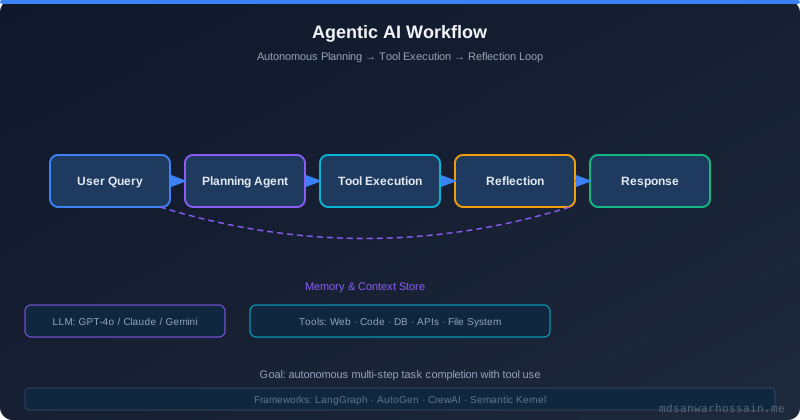
When I started my career as a backend engineer, the rite of passage involved hours of StackOverflow, dog-eared O'Reilly books, and the occasional desperate Ctrl+F through Javadoc. That world is gone. Today's junior developers enter the workforce alongside GitHub Copilot, Claude Code, Cursor, and a dozen other AI pair-programming tools that can generate a working Spring Boot service in under 60 seconds. The opportunity is extraordinary — but so is the risk of building a career on a foundation you never actually understand.
This post is a practical, honest guide to using AI tools as a junior developer in 2026. Not hype, not fear-mongering — just real workflows, real pitfalls, and a framework for growing your skills with AI rather than being replaced by it.
Table of Contents
- Why AI Changes How Juniors Learn and Work
- Setting Up Your AI Development Environment
- Effective Prompting Patterns for Code Generation
- Using AI for Code Review and Debugging
- AI-Driven Test Generation Workflows
- How to Avoid "AI Dependency" and Actually Learn
- Real Workflow: From Ticket to PR with AI Assistance
- Common Mistakes Junior Developers Make with AI
- Conclusion
Why AI Changes How Juniors Learn and Work
AI tools don't just speed up coding — they change the cognitive loop of development. Traditionally, a junior developer would encounter a problem, think through the solution, write code, fail, read documentation, and iterate. Each failure taught something. AI short-circuits that loop: you describe a problem and get a working solution. The danger isn't the tool itself; it's skipping the understanding phase.
But used correctly, AI can accelerate genuine learning. Instead of spending 45 minutes setting up boilerplate, you can spend those 45 minutes understanding the business logic, the architecture decision, or the edge cases. The shift is from "how do I write this code?" to "what should this code actually do, and why?" — a far more senior-level question.
"AI is best used as a thinking partner, not a thinking replacement. Always ask: do I understand what this code does and why it's correct?"
Setting Up Your AI Development Environment
Getting the most out of AI tools starts with the right setup. There are three primary tools most professional teams are using in 2026, each with distinct strengths.
GitHub Copilot
GitHub Copilot remains the most widely adopted AI coding assistant due to its deep IDE integration. It works inside VS Code, IntelliJ IDEA, and Neovim, and its inline completions feel natural. For Java and Spring Boot development specifically, Copilot excels at boilerplate — DTOs, repository interfaces, controller mappings, and test scaffolding. Enable Copilot Chat for conversational queries without leaving your editor.
Cursor IDE
Cursor is a VS Code fork built entirely around AI. Its "Composer" mode allows multi-file edits from a single instruction — invaluable when refactoring cuts across repositories. Cursor's @codebase context window means it can understand your entire project before suggesting changes, which reduces the number of hallucinated APIs significantly. For greenfield projects or solo work, Cursor is arguably the most productive environment available.
Claude Code (Anthropic)
Claude Code runs in your terminal and can read, modify, and execute code across your entire filesystem. Unlike editor-embedded tools, it's especially powerful for larger refactoring tasks, writing shell scripts, and generating documentation. When given a well-structured prompt, Claude Code can complete a full feature branch — tests included — with minimal back-and-forth.
The recommendation: use Copilot for daily inline assistance, Cursor for active feature development, and Claude Code for larger agentic tasks or when you want to describe a feature end-to-end and review the result.
Effective Prompting Patterns for Code Generation
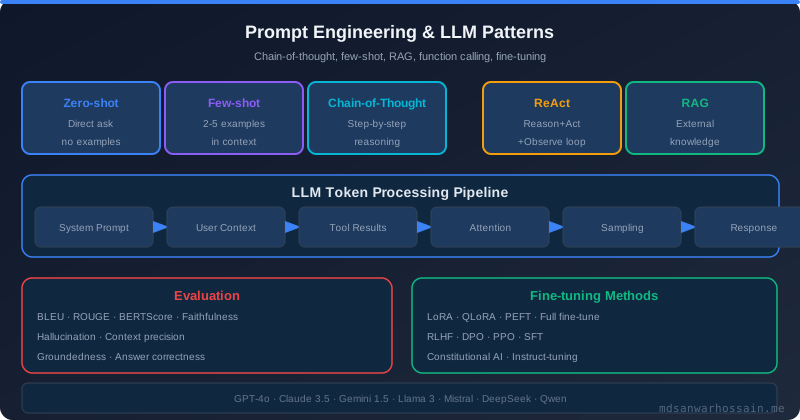
Most junior developers write vague prompts and get vague code. The quality of AI output is directly proportional to the quality of your prompt. Here are patterns that consistently produce useful results:
The Context + Goal + Constraint Pattern
// Weak prompt:
"Write a service to handle user registration"

// Strong prompt:
"I'm building a Spring Boot 3.2 REST API. Write a UserRegistrationService
that accepts a RegisterUserRequest DTO (email, password, fullName),
hashes the password with BCrypt, saves to a JPA User entity with UUID id,
and throws a DuplicateEmailException if the email already exists.
Include Javadoc and use constructor injection. No Lombok."
The strong version gives the AI: a framework version, input/output types, specific dependencies, error conditions, and code style preferences. You'll get production-ready code instead of a rough sketch.
Incremental Refinement
Don't ask for everything at once. Ask for a skeleton, review it, then add concerns one at a time: validation, error handling, logging, security. This mirrors how experienced engineers actually build features and keeps your understanding current with each iteration.
Ask for Explanations Inline
// Append to any prompt:
"After each non-trivial block, add a comment explaining WHY this approach
was chosen over alternatives, especially around concurrency and error handling."
This forces the AI to surface its reasoning — and forces you to evaluate whether that reasoning is sound.
Using AI for Code Review and Debugging
AI is a genuinely excellent first-pass code reviewer, especially for issues that human reviewers sometimes overlook: null safety, missing edge cases, resource leaks, and inconsistent naming. Before submitting a PR, paste your diff into Claude or Copilot Chat with the following prompt:
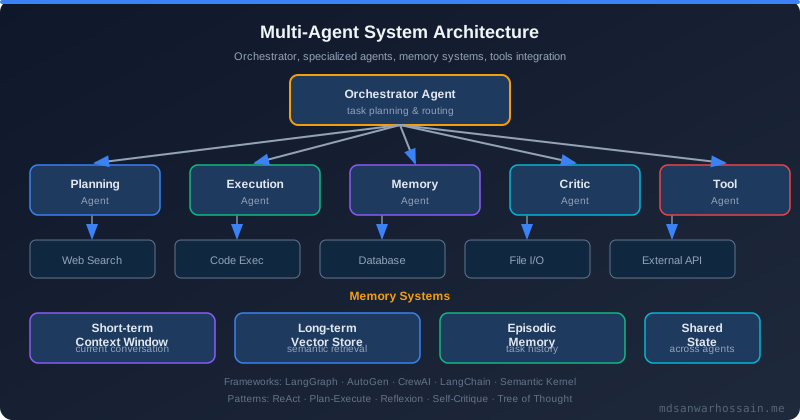
"Review this code for: (1) correctness and edge cases, (2) performance issues
including N+1 queries, (3) security vulnerabilities like injection or auth bypass,
(4) Java/Spring Boot best practices violations. Be specific about line numbers."
For debugging, AI shines when given a complete error context: the stack trace, the relevant code snippet, and a description of what you expected versus what happened. The more context you provide, the less the AI hallucinates causes. A useful pattern:
"Here is a NullPointerException stack trace from my Spring Boot app:
[paste stack trace]

Here is the relevant code:
[paste code]

Expected: the method should return a valid UserDTO
Actual: NPE at line 47

Diagnose the root cause and propose a fix with explanation."
AI-Driven Test Generation Workflows
Writing tests is where AI provides enormous leverage. Test generation is formulaic enough that AI excels at it, yet time-consuming enough that developers frequently skip it. A solid workflow:
- Write (or receive) your implementation code.
- Ask AI to generate unit tests covering: happy path, null inputs, boundary values, and each thrown exception.
- Ask AI to generate integration tests using
@SpringBootTest+ Testcontainers for database-dependent services. - Review every generated test — understand what it asserts and why.
- Add one or two tests AI missed based on your domain knowledge.
// Prompt for test generation:
"Generate JUnit 5 + Mockito unit tests for the following UserRegistrationService.
Cover: successful registration, duplicate email exception, invalid email format,
null password. Use BDDMockito style (given/when/then). Include descriptive
@DisplayName annotations."
The key is step 4: you must read and understand every test AI writes. AI occasionally generates tests that pass trivially without actually verifying behavior — always check assertions.
How to Avoid "AI Dependency" and Actually Learn
The most common trap junior developers fall into is using AI as a black box: prompt in, code out, submit PR. This is the path to becoming a code assembler rather than a software engineer. Here are concrete practices to stay sharp:
The 10-Minute Rule
Before asking AI for help on any problem, spend 10 minutes attempting it yourself. Even a wrong attempt primes your brain to understand the AI's solution more deeply. You'll also develop intuition for when AI is right versus when it's subtly wrong.
Explain It Back
After receiving a non-trivial AI-generated solution, close the chat window and write a comment block explaining what the code does and why — in your own words. If you can't do this, you don't understand it yet. Go back and ask the AI to explain line by line.
Study the Alternatives
Ask AI: "What are three different ways to solve this? What are the trade-offs?" This builds the comparative reasoning skills that distinguish seniors from juniors. Understanding that there are multiple valid solutions, each with different trade-offs, is one of the most important mental models in software engineering.
Read Documentation for Every Library AI Uses
When AI introduces a library or framework feature you haven't seen before — say, @Transactional(propagation = Propagation.REQUIRES_NEW) — stop and read the official Spring documentation for that feature. AI summaries are good enough to get started, but official docs give you the nuance that prevents production bugs.
Real Workflow: From Ticket to PR with AI Assistance
Let's walk through a realistic feature ticket as a junior developer at a company using Java Spring Boot + PostgreSQL + Kubernetes.
Ticket: "Add endpoint to allow users to update their profile picture URL. Validate URL format, enforce max length of 500 chars, require authentication."
Step 1 — Requirements analysis (no AI yet): Think through what this needs: an authenticated PUT endpoint, input validation, a User entity update, and appropriate error responses. Sketch on paper or whiteboard.
Step 2 — Generate the DTO and validator: Prompt Copilot or Claude for a UpdateProfilePictureRequest DTO with JSR-380 annotations. Review the generated constraints, ensuring they match requirements.
Step 3 — Generate the controller method: Ask AI for the controller endpoint using @PutMapping, @Valid, and Spring Security's @AuthenticationPrincipal. Check that the response codes (200, 400, 401, 404) are correct.
Step 4 — Generate the service logic: Prompt for a service method that fetches the user, updates the URL, and saves. Ask AI to include an optimistic locking check if your entity uses @Version.
Step 5 — Generate tests: Use the test generation prompt above. Run them. Fix failures manually before reaching for AI again — failures are learning opportunities.
Step 6 — AI code review: Paste your diff into AI chat for a pre-submission review. Address any findings.
Step 7 — Write your PR description: Ask AI to draft a PR description based on the ticket and diff, then edit it to add your own context about decisions made.
Common Mistakes Junior Developers Make with AI
- Trusting AI on security decisions: AI-generated security code is often subtly wrong. Always have a senior engineer review auth, cryptography, and input sanitization code.
- Using AI output without running it: Always run generated code locally before committing. AI confidently generates code with compilation errors or missing imports.
- Not specifying the framework version: Spring Boot 3.x behaves very differently from 2.x. Always specify versions in your prompts.
- Accepting the first response: The first response is rarely optimal. Ask AI to critique its own solution and suggest improvements — often the second version is significantly better.
- Using AI for architecture decisions: AI will generate an architecture based on pattern-matching, not business context. Architecture decisions require human judgment about trade-offs that AI can't fully model.
- Never reading the generated imports: AI sometimes imports non-existent classes or uses deprecated APIs. Check your import statements.
Key Takeaways
- AI tools are most powerful when you combine them with genuine understanding — always verify what AI generates against your own knowledge.
- Invest in prompt quality: context + goal + constraint prompts produce far better results than vague descriptions.
- Use the 10-minute rule to maintain your problem-solving muscles before delegating to AI.
- AI-generated tests need to be read and understood, not just accepted — trivial passing tests provide false confidence.
- For security-critical code, treat AI as a first draft only and always get human review.
- The developers who thrive are those who use AI to focus their energy on higher-order thinking: architecture, edge cases, and domain logic.
- Cursor excels for feature development; Copilot for daily inline help; Claude Code for large agentic tasks.
Conclusion
The junior developers who will flourish in 2026 and beyond are not those who avoid AI tools, nor those who blindly delegate everything to them. They are the ones who treat AI as a brilliant but fallible pair programmer — someone whose output always needs to be reviewed, questioned, and genuinely understood. Your career moat is not memorizing syntax; it's developing judgment about systems, trade-offs, and business context. AI can't replicate that. Use these tools to accelerate your exposure to patterns, free yourself from boilerplate, and spend more time on the parts of engineering that actually build expertise. The foundation is still yours to build.
Leave a Comment
Related Posts

Software Engineer · Java · Spring Boot · Microservices