Zero-Downtime Deployments: Blue-Green, Canary Releases & Feature Flags in Production
Every minute of production downtime has a quantifiable cost — lost revenue, damaged customer trust, and SLA penalties. For a mid-size e-commerce platform processing $10M/day, one hour of unplanned downtime costs over $400,000. Zero-downtime deployment is not a luxury for mature engineering organizations; it is a fundamental operational requirement that shapes every deployment decision you make.
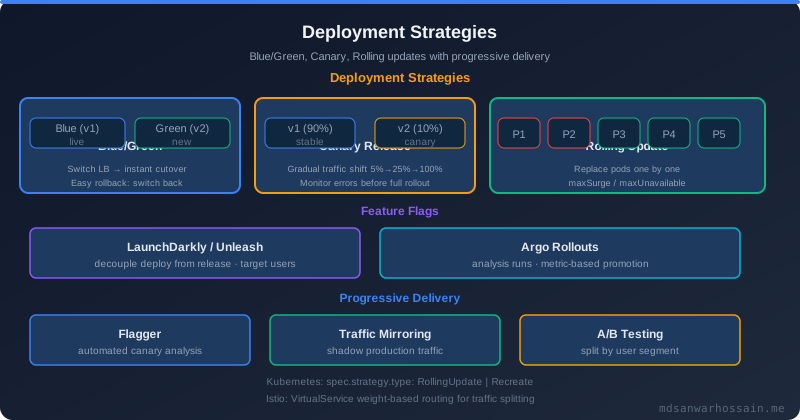
Table of Contents
The Real Cost of Deployment Downtime
The financial impact of downtime is well-documented. Gartner estimates the average cost of IT downtime at $5,600 per minute for enterprise organizations. But the full cost extends beyond immediate revenue loss. Customer trust erodes with each incident — studies show that 57% of customers who experience service disruptions do not return within 30 days. SLA breaches trigger penalty clauses in B2B contracts. Engineering teams spend significant time on incident response, post-mortems, and customer communication rather than feature development.
What is less discussed is the cost of fear of deployment. Teams that lack reliable zero-downtime deployment practices often batch changes into larger, infrequent releases to minimize deployment risk. This batching creates the opposite effect: larger releases contain more changes, each change interacts with others in unexpected ways, the blast radius of failures increases, and rollbacks become complex multi-step procedures. The teams that deploy most frequently — sometimes dozens of times per day — actually have the lowest incident rates, because small, frequent deployments are individually lower risk and easier to roll back.
Zero-downtime deployment is the technical prerequisite for high-frequency, low-risk deployments. The strategies — blue-green deployments, canary releases, feature flags, and rolling updates — each address different deployment scenarios with different tradeoffs. Understanding when to apply each is as important as understanding how to implement them.
Strategy 1: Blue-Green Deployments
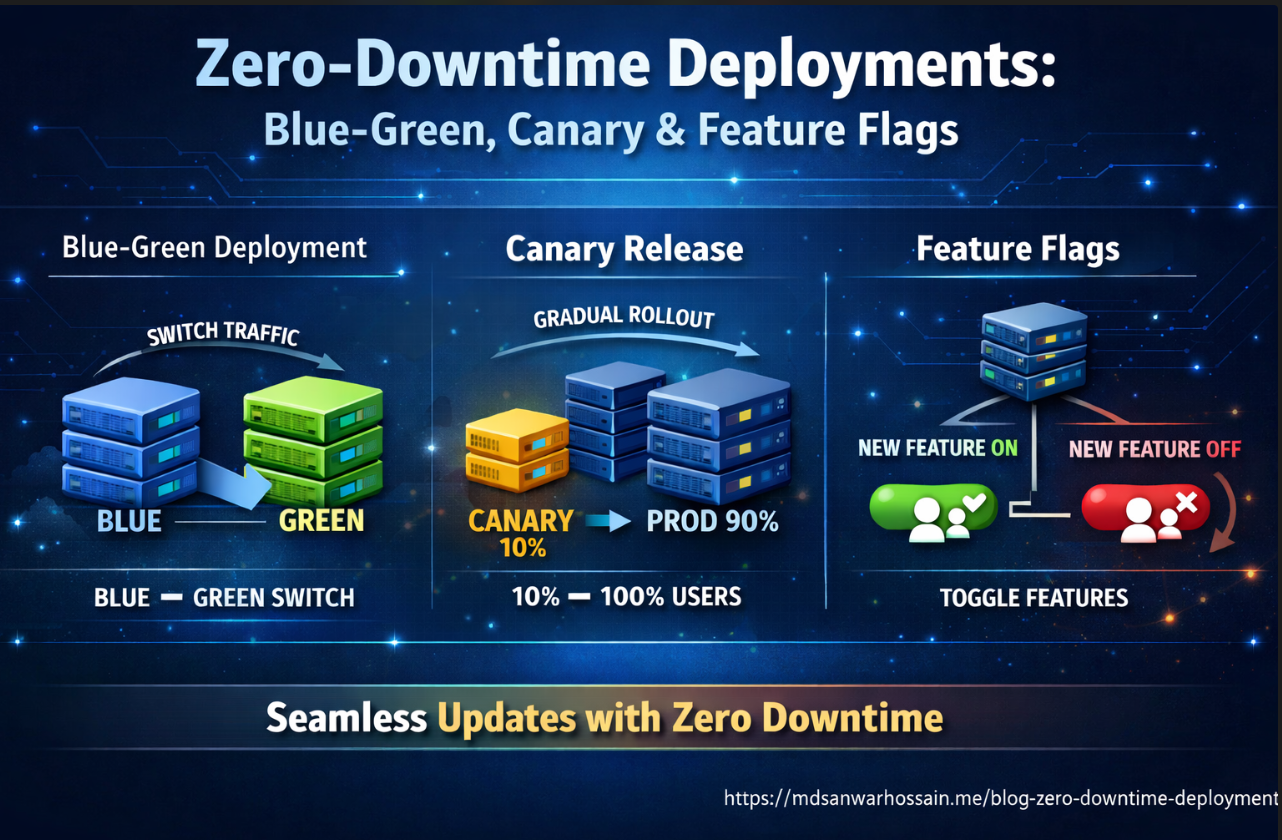
Blue-green deployment maintains two identical production environments — "blue" (currently live) and "green" (new version). The new version is deployed to green, fully tested in production-identical conditions, and then traffic is switched from blue to green in a single, instant operation. Rollback is equally instant: switch traffic back to blue. The blue environment remains intact until green is verified stable.
# Kubernetes blue-green deployment — Service selector switching
apiVersion: v1
kind: Service
metadata:
  name: order-service
  namespace: production
spec:
  selector:
    app: order-service
    version: blue        # Change to "green" to switch traffic
  ports:
    - port: 80
      targetPort: 8080
  type: ClusterIP
---
# Blue deployment (current)
apiVersion: apps/v1
kind: Deployment
metadata:
  name: order-service-blue
  namespace: production
spec:
  replicas: 6
  selector:
    matchLabels:
      app: order-service
      version: blue
  template:
    metadata:
      labels:
        app: order-service
        version: blue
    spec:
      containers:
        - name: order-service
          image: registry.example.com/order-service:v2.1.0
          readinessProbe:
            httpGet:
              path: /actuator/health/readiness
              port: 8080
            initialDelaySeconds: 30
            periodSeconds: 5
          livenessProbe:
            httpGet:
              path: /actuator/health/liveness
              port: 8080
            initialDelaySeconds: 60
            periodSeconds: 10
---
# Green deployment (new version — deployed but receiving no traffic yet)
apiVersion: apps/v1
kind: Deployment
metadata:
  name: order-service-green
  namespace: production
spec:
  replicas: 6
  selector:
    matchLabels:
      app: order-service
      version: green
  template:
    metadata:
      labels:
        app: order-service
        version: green
    spec:
      containers:
        - name: order-service
          image: registry.example.com/order-service:v2.2.0
The traffic switch is a single kubectl patch command:
# Switch traffic from blue to green
kubectl patch service order-service -n production \
  -p '{"spec":{"selector":{"version":"green"}}}'

# Monitor error rates for 15 minutes
# If errors spike, instant rollback:
kubectl patch service order-service -n production \
  -p '{"spec":{"selector":{"version":"blue"}}}'
Blue-green is ideal for major version releases, schema migrations where you need a clean cutover, and services where rolling updates would create version incompatibility during the transition. The primary cost is infrastructure: you maintain double the production capacity during the transition window. For stateful services, blue-green requires careful handling of in-flight requests and database sessions at switch time.
Strategy 2: Canary Releases in Kubernetes
Canary releases gradually route a small percentage of production traffic to the new version, increasing the percentage as confidence builds. Named after the "canary in the coal mine," a canary deployment detects problems before they affect all users. If the canary shows elevated error rates or latency, the rollout is stopped with only a fraction of users affected.
# Canary deployment — 10% of traffic to new version
# Old deployment: 9 replicas, new deployment: 1 replica = 10% canary
apiVersion: apps/v1
kind: Deployment
metadata:
  name: payment-service-stable
  namespace: production
  annotations:
    deployment.kubernetes.io/revision: "1"
spec:
  replicas: 9
  selector:
    matchLabels:
      app: payment-service
  template:
    metadata:
      labels:
        app: payment-service
        track: stable
    spec:
      containers:
        - name: payment-service
          image: registry.example.com/payment-service:v3.1.0
---
apiVersion: apps/v1
kind: Deployment
metadata:
  name: payment-service-canary
  namespace: production
spec:
  replicas: 1             # 1 out of 10 total pods = 10% traffic
  selector:
    matchLabels:
      app: payment-service
  template:
    metadata:
      labels:
        app: payment-service
        track: canary
    spec:
      containers:
        - name: payment-service
          image: registry.example.com/payment-service:v3.2.0
---
# Single service routes to both deployments via shared label
apiVersion: v1
kind: Service
metadata:
  name: payment-service
spec:
  selector:
    app: payment-service   # Matches BOTH stable and canary pods
  ports:
    - port: 80
      targetPort: 8080
For more sophisticated traffic splitting with percentage control independent of replica count, use an Ingress controller with traffic weight annotations (NGINX, Traefik) or a service mesh (Istio, Linkerd). With Istio's VirtualService, you can route exactly 5% of traffic to canary regardless of replica count:
apiVersion: networking.istio.io/v1alpha3
kind: VirtualService
metadata:
  name: payment-service
spec:
  hosts:
    - payment-service
  http:
    - route:
        - destination:
            host: payment-service
            subset: stable
          weight: 95
        - destination:
            host: payment-service
            subset: canary
          weight: 5
---
apiVersion: networking.istio.io/v1alpha3
kind: DestinationRule
metadata:
  name: payment-service
spec:
  host: payment-service
  subsets:
    - name: stable
      labels:
        track: stable
    - name: canary
      labels:
        track: canary
The canary rollout progression — 5% → 10% → 25% → 50% → 100% — should be automated based on metrics. Tools like Argo Rollouts provide a Rollout CRD that automates canary progression with configurable metric thresholds: if error rate stays below 1% and P99 latency stays below 500ms for 10 minutes at each step, automatically advance to the next weight. If thresholds are exceeded, automatically roll back.
Feature Flags: Deployment Without Release
Feature flags (also called feature toggles) decouple deployment from release. Code is deployed to production behind a flag that keeps it disabled. The feature is "released" by enabling the flag — instantly, without a deployment. This separation enables trunk-based development, safe dark launches, percentage rollouts, and instant rollback of any feature without a code deployment.
// LaunchDarkly integration in Spring Boot
@Configuration
public class FeatureFlagConfig {

    @Value("${launchdarkly.sdk-key}")
    private String sdkKey;

    @Bean
    public LDClient ldClient() {
        LDConfig config = new LDConfig.Builder()
            .events(Components.sendEvents().flushInterval(Duration.ofSeconds(5)))
            .build();
        return new LDClient(sdkKey, config);
    }
}

@Service
public class CheckoutService {

    private final LDClient ldClient;
    private final LegacyPaymentProcessor legacyProcessor;
    private final NewPaymentProcessor newProcessor;

    public PaymentResult processPayment(CheckoutRequest request, User user) {
        LDContext context = LDContext.builder(user.getId())
            .set("email", user.getEmail())
            .set("plan", user.getPlan())
            .set("country", user.getCountry())
            .build();

        boolean useNewPaymentFlow = ldClient.boolVariation(
            "new-payment-processor", context, false
        );

        if (useNewPaymentFlow) {
            return newProcessor.process(request);
        } else {
            return legacyProcessor.process(request);
        }
    }
}
LaunchDarkly's context-based targeting enables sophisticated rollout strategies: enable the new payment processor for 5% of users, then gradually increase. Or target only users in a specific country for regulatory testing. Or enable for internal users first (using an employee attribute), then beta users, then general availability. All of this is controlled through the LaunchDarkly dashboard without code changes or deployments.
For teams that prefer open-source, Unleash provides similar functionality self-hosted. Spring Boot's Spring Feature Flags and Facebook's Flipt are other options. The key principle is the same regardless of tooling: flags are externally controlled, changes are immediate, and all flag evaluations are logged for audit purposes.
Database Migration: The Expand-Contract Pattern
The hardest part of zero-downtime deployment is database schema migration. Unlike application code, database schemas are shared state — changing a column name in a migration breaks the old application version that is still running during a rolling update. The expand-contract pattern (also called parallel change) solves this by breaking schema changes into three phases:
Phase 1 — Expand: Add the new column/table/index alongside the old one. Both old and new application versions run simultaneously, old version reads/writes old column, new version reads both (fallback to old) and writes both.
Phase 2 — Migrate: Backfill the new column from the old column for all existing rows. Monitor completion.
Phase 3 — Contract: After all instances are running the new version, drop the old column. This is a separate deployment cycle, not part of the initial feature deployment.
-- Phase 1 (Expand): Add new column, keep old column
ALTER TABLE orders ADD COLUMN customer_uuid UUID;

-- Application v2: reads customer_uuid (fallback to customer_id), writes both
-- Application v1: reads/writes customer_id only, ignores customer_uuid

-- Phase 2 (Migrate): Backfill new column from old
UPDATE orders SET customer_uuid = customer_id::uuid
WHERE customer_uuid IS NULL;

-- Phase 3 (Contract): After all pods are on v2+, drop old column
-- This runs in a SEPARATE later deployment:
ALTER TABLE orders DROP COLUMN customer_id;
ALTER TABLE orders RENAME COLUMN customer_uuid TO customer_id;

-- Liquibase changeset for Phase 1
-- changeSet id="2026-03-add-customer-uuid" author="eng-team"
-- addColumn tableName="orders"
--     column name="customer_uuid" type="UUID"
Use Flyway or Liquibase to manage schema migrations as versioned, auditable changesets. Configure them to run on application startup with spring.flyway.baseline-on-migrate=false and spring.flyway.out-of-order=false to enforce strict migration ordering. Never run schema migrations that modify or drop columns during the same deployment that changes the application code relying on that column — that is a guaranteed downtime event.
Rollback Automation and Deployment Monitoring
A deployment strategy is only as good as its rollback capability. The goal is a rollback that takes less than 2 minutes and requires no human judgment during an incident — automated rollback triggered by metric thresholds, not by an on-call engineer debugging at 2 AM while adrenaline clouds their judgment.
# Argo Rollouts with automated metric-based rollback
apiVersion: argoproj.io/v1alpha1
kind: Rollout
metadata:
  name: order-service
spec:
  replicas: 10
  strategy:
    canary:
      steps:
        - setWeight: 10
        - pause: {duration: 5m}
        - analysis:
            templates:
              - templateName: error-rate-check
        - setWeight: 30
        - pause: {duration: 5m}
        - analysis:
            templates:
              - templateName: error-rate-check
        - setWeight: 60
        - pause: {duration: 5m}
        - setWeight: 100
      autoRollback:
        enabled: true
---
apiVersion: argoproj.io/v1alpha1
kind: AnalysisTemplate
metadata:
  name: error-rate-check
spec:
  metrics:
    - name: error-rate
      interval: 1m
      successCondition: result[0] < 0.01   # Less than 1% error rate
      failureLimit: 3
      provider:
        prometheus:
          address: http://prometheus:9090
          query: |
            sum(rate(http_requests_total{service="order-service",status=~"5.."}[2m]))
            / sum(rate(http_requests_total{service="order-service"}[2m]))
    - name: p99-latency
      interval: 1m
      successCondition: result[0] < 0.5    # P99 under 500ms
      failureLimit: 3
      provider:
        prometheus:
          address: http://prometheus:9090
          query: |
            histogram_quantile(0.99,
              sum(rate(http_request_duration_seconds_bucket{service="order-service"}[2m]))
              by (le))
This Argo Rollouts configuration automatically advances canary weight through 10% → 30% → 60% → 100%, running Prometheus metric checks at each stage. If error rate exceeds 1% or P99 latency exceeds 500ms on three consecutive checks, the rollout is automatically aborted and the traffic weight reverts to 0% for the canary. No human intervention required.
Pair automated rollback with deployment notifications to Slack or PagerDuty. Engineers should receive a notification when a deployment starts, when each canary stage advances, and immediately when an automatic rollback is triggered — with a direct link to the Prometheus dashboard showing the metric that triggered the rollback. Fast notification enables quick root cause analysis while the incident is fresh.
Key Takeaways
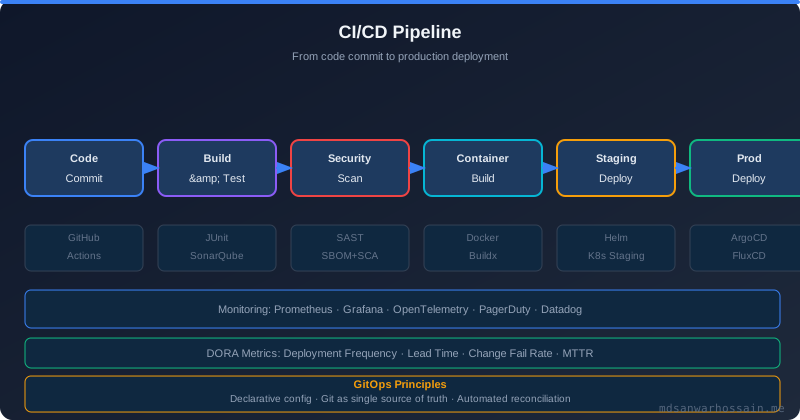
- Choose the right strategy for the scenario: Blue-green for major version switches and schema cutover; canary for gradual traffic migration with metric validation; rolling updates for stateless services with backward-compatible changes; feature flags for decoupling deployment from release.
- Always validate readiness probes: Kubernetes rolling updates and canary promotions depend on readiness probes accurately reflecting when a pod can handle traffic. A service that passes readiness before its connection pool is warmed up will produce a brief error spike on every deployment.
- Use the expand-contract pattern for all schema changes: Never drop or rename a column in the same deployment that changes the application code. Separate schema migrations into expand (backward-compatible), migrate (backfill), and contract (cleanup) phases across multiple deployment cycles.
- Automate rollback based on metrics: Human-triggered rollback during an incident is too slow and too unreliable. Define error rate and latency thresholds that trigger automatic rollback via Argo Rollouts or similar tooling.
- Feature flags enable trunk-based development: Teams that ship behind feature flags can merge to main continuously without feature branches, eliminating merge conflicts and integration surprises.
Leave a Comment
Related Posts

Software Engineer · Java · Spring Boot · Microservices