Project CRaC for Java: Instant Cold Starts, Safe Checkpoints, and Production Playbooks
Project CRaC lets JVM services resume from a warmed checkpoint in milliseconds instead of paying full cold-start cost on every boot. This article focuses on practical checkpoint/restore operations, safety boundaries, and production guardrails for Java services running in cloud-native environments.
TL;DR
"Project CRaC for Java: instant cold starts, safe checkpoints, and production playbooks for JVM services on serverless, Kubernetes, and edge environments."
Table of Contents
- Introduction
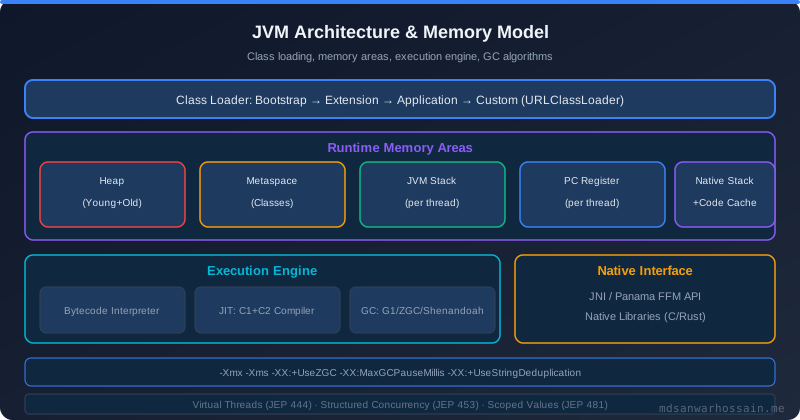
- Why CRaC Now
- How CRaC Works
- Baseline Setup
- Application Lifecycle with CRaC
- Secret Management and Rotation
- Filesystem and Snapshot Strategy
- JVM Flags That Matter
- Containerization Patterns
- Benchmarks: What to Expect
- Troubleshooting Playbook
- Observability and Testing
- Governance and Operational Discipline
- Production Checklist
- Read Full Blog Here
Introduction
Project CRaC (Coordinated Restore at Checkpoint) gives the JVM the superpower of pausing a fully warmed process and resuming it in milliseconds. Instead of paying class loading, dependency injection, and JIT warm-up on every cold start, you checkpoint a live runtime, serialize the process image, and restore it on demand. The payoff is dramatic for serverless and bursty workloads where cold starts translate directly into latency SLO violations. CRaC also invites a new discipline: resource hygiene, snapshot-friendly filesystems, and restart-aware secrets. The orchestration rigor feels familiar to teams already practicing scoped lifecycles in structured concurrency, but applied to an entire JVM.
Why CRaC Now
- Serverless pressure: FaaS platforms and scale-to-zero microservices punish every extra millisecond of cold start. CRaC trims startups from seconds to tens of milliseconds by restoring warmed heaps.
- Edge deployments: Retail and telco edges reboot frequently for power or connectivity reasons; CRaC turns those reboots into fast restores without sacrificing peak throughput.
- JIT preservation: HotSpot’s tiered compilation and profile-driven optimizations are expensive. Checkpointing after the JVM has optimized hot paths preserves that work.
- Cost containment: Shorter warm-up means fewer provisioned warm pods and more aggressive scale-to-zero policies while still meeting latency SLOs.
How CRaC Works
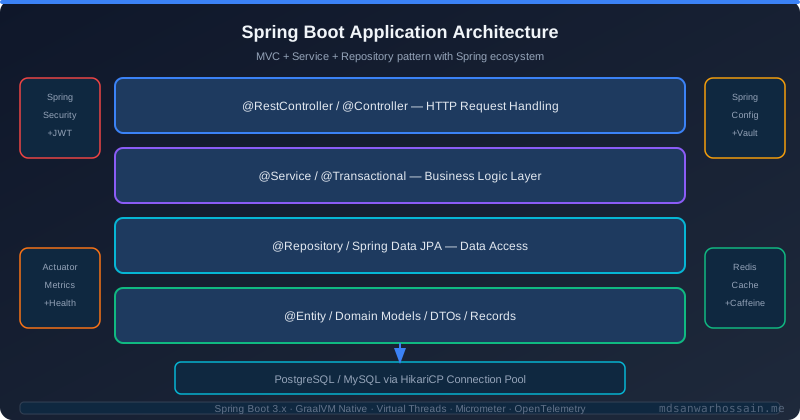
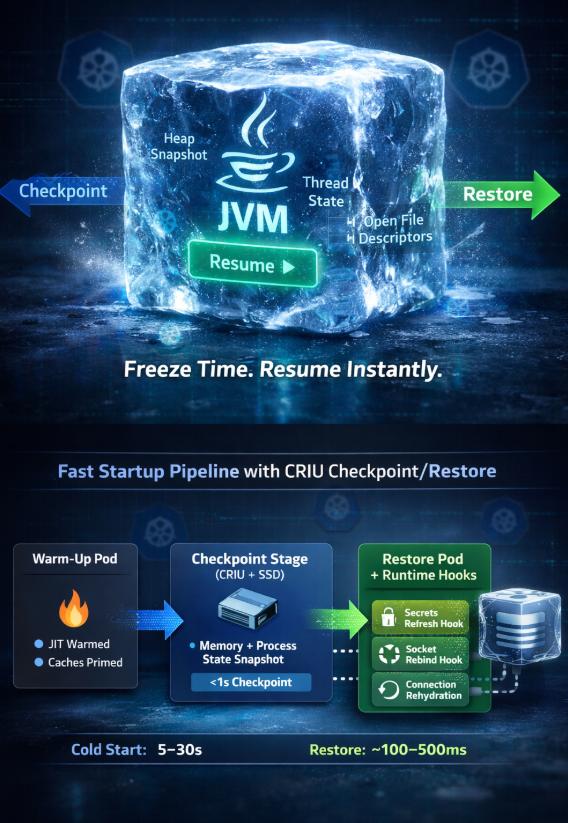
CRaC coordinates JVM safepoints with OS-level checkpointing (via CRIU on Linux). When a checkpoint is requested, CRaC:
- Invokes resource hooks (
CheckpointNotification) so application code can release or quiesce external handles. - Brings the JVM to a stable safepoint, flushes JIT code and metaspace state, and hands control to CRIU.
- CRIU serializes process memory, open file descriptors, CPU registers, and kernel state into an image directory.
- On restore, CRIU rehydrates the process, reattaches resources via
RestoreNotification, and resumes execution from the checkpoint moment.
The win is that classpath scanning, Spring context boot, connection pool initialization, and JIT compilation have already happened. The risk is that anything time-sensitive, host-specific, or externally revoked must be rebuilt during restore.
Baseline Setup
Prerequisites for production-quality CRaC images:
- Kernel support: CRIU 3.16+ with
CONFIG_CHECKPOINT_RESTORE; Docker must allow--privilegedor the CRaC container needsCAP_CHECKPOINT_RESTORE. - JDK build: JDK 21+ with the CRaC branch or distributions like Azul/Zulu that ship CRaC builds (
jdk-crac). - Filesystem layout: Writable image directory (e.g.,
/opt/crac-images) on a fast SSD; ephemeral data on tmpfs to avoid polluting snapshots. - Hook coverage: Every resource owner (datasource, HTTP client, caches, feature flag clients) must register CRaC resource hooks.
Application Lifecycle with CRaC
A minimal Spring Boot flow:
- Start the app normally with CRaC-aware JDK.
- Warm caches and execute synthetic traffic until latency plateaus.
- Trigger checkpoint:
jcmd <pid> JDK.checkpointor expose an internal admin endpoint. - CRIU writes the image to disk; the process exits.
- Restore by invoking
java -XX:CRaCRestoreFrom=<image-path>; the process resumes within milliseconds.
Use a CI/CD step to create fresh images on every build, run smoke tests against the restored process, then publish OCI images with the checkpoint directory baked in.
Secret Management and Rotation
Secrets are the most common failure after restore because tokens expire while the process is paused.
- Short-lived tokens: Avoid checkpointing OAuth access tokens or AWS session tokens. Register a hook that discards cached credentials and reacquires them on
RestoreNotification. Keep refresh tokens outside the checkpointed memory (e.g., mounted from a tmpfs secret volume). - KMS envelopes: If the app decrypts data keys on boot, purge decrypted material before checkpoint and decrypt again after restore. This prevents restoring stale keys and reduces blast radius if an image leaks.
- Rotation alignment: Align checkpoint creation with rotation windows. If certificates rotate nightly, generate checkpoints right after rotation to maximize validity.
- Sidecar-integrated rotation: For Kubernetes, integrate with external-secrets or cert-manager; expose a readiness gate that refuses restore if the mounted secret version lags the current one.
Test worst-case timing: create a checkpoint, rotate secrets immediately, then restore. Verify hooks fetch fresh credentials and that TLS handshakes succeed.
Filesystem and Snapshot Strategy
CRaC images capture file descriptors and inode references. Sloppy filesystem choices create brittle restores.
- Immutable app + writable data separation: Keep application binaries and libs in read-only layers; mount writable dirs (
/tmp,/var/cache/app,/var/log/app) on tmpfs or dedicated volumes excluded from the checkpoint. - Snapshot-safe temp files: Purge temporary uploads, PID files, sockets, and lockfiles in
beforeCheckpoint. Recreate sockets on restore. - Database drivers and DNS: Do not checkpoint /etc/resolv.conf copies. Ensure DNS caches are cleared before checkpoint so restored pods resolve current IPs.
- Filesystem snapshots for portability: Store CRIU images on XFS or ext4 with stable inode semantics. Avoid overlayfs-on-overlay when baking OCI images; use a multi-stage build that copies the image directory into the final layer.
If using persistent volumes, take a filesystem snapshot right after checkpointing so the CRIU image and any referenced files stay consistent. For serverless distributions, bundle the image within the container layer to keep restore self-contained.
JVM Flags That Matter
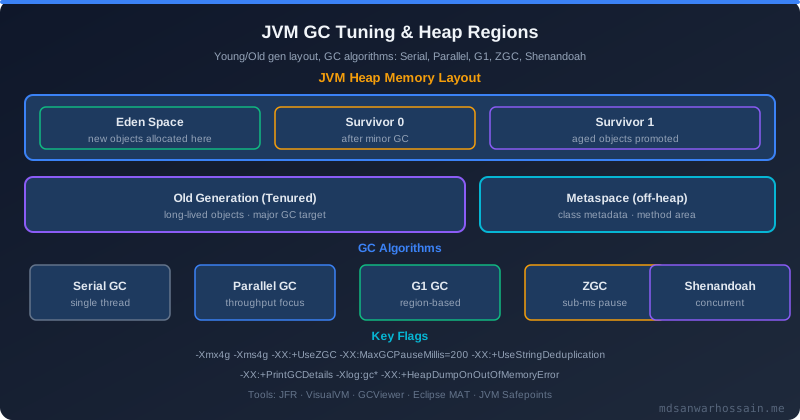
-XX:CRaCCheckpointTo=/opt/crac-images/app: target directory for the image; place on fast local SSD.-XX:CRaCRestoreFrom=/opt/crac-images/app: restore source; supply via env for flexibility.-XX:+UnlockExperimentalVMOptions -XX:+UseCRaC: enable CRaC support.-XX:+PreserveFramePointer: recommended for profiling both before and after restore.-XX:CRaCMinCheckpointInterval=300000: throttle checkpoints (in ms) to avoid spamming images during warm-up.-XX:+AlwaysPreTouch: optional; ensures pages are faulted in before checkpoint, reducing restore-time page faults at the cost of a slower first boot.
Pair these with normal GC flags (e.g., G1 or ZGC tuned for your heap). Keep heap sizing identical between checkpoint creation and restore to avoid unexpected remapping overhead.
Containerization Patterns
CRaC images inside containers need extra care:
- Image build pipeline: Stage 1 builds the app and warms it. Stage 2 copies the CRIU dump into
/opt/crac-images. Stage 3 produces the runnable image with only the restore bits and the CRaC-enabled JDK. - Capabilities: Grant
CAP_CHECKPOINT_RESTORE,CAP_SYS_PTRACE, andCAP_SYS_ADMINor run as--privileged(prefer the minimal caps set). - Init containers: Use an init container to prefetch secrets and mount tmpfs directories before the main container restores.
- Orchestrator hooks: Kubernetes lifecycle hooks (
postStart) can trigger a health check or mini-warm-up after restore to repopulate any caches intentionally cleared before checkpoint.
Ensure the restored pod’s CPU and memory requests match the checkpointed environment. Mismatches can cause cgroup-related restore errors or unpredictable GC behavior.
Benchmarks: What to Expect
Representative measurements from a Spring Boot 3.3 service with 120 beans, JPA, and a Redis cache (8 vCPU, 8 GB RAM, G1 GC):
- Cold start (no CRaC): 2.8s median to first successful HTTP response; p99 latency spike of 900ms on first 50 requests.
- CRaC restore: 65ms median to readiness probe; first 50 requests average 24ms with no warm-up penalty.
- Checkpoint time: 420ms after caches primed and JIT warmed; CRIU image size 180 MB compressed.
- Throughput parity: After restore, steady-state RPS and GC pause times matched non-CRaC baseline within ±2%, confirming no long-term penalty.
Expect larger images (300–500 MB) for services with heavy caches; balance checkpoint depth (e.g., emptying caches before checkpoint) against restore latency goals.
Run benchmarks in three phases: (1) full cold boot to capture baseline; (2) warm-up traffic for at least 5 minutes with representative load to populate JIT profiles and caches; (3) checkpoint and restore, then immediately hammer the service with the same load. Compare tail latencies, GC pause times, and throughput. Pay attention to page faults after restore; high minor fault counts indicate the image is larger than the working set and might benefit from -XX:+AlwaysPreTouch or cache trimming before checkpoint. Capture perf profiles pre- and post-restore to confirm code cache addresses remain stable.
Troubleshooting Playbook
- Restore fails with
Operation not permitted: Missing kernel feature or capabilities. VerifyCONFIG_CHECKPOINT_RESTOREand grantCAP_CHECKPOINT_RESTORE. - Database connections time out post-restore: Connections were checkpointed mid-idle and expired. Close pools in
beforeCheckpoint; reopen on restore. Enable validation queries on reconnect. - Clock-sensitive code misbehaves: Sleep timers and rate limiters resume with stale time. Reset schedulers and reinitialize token-bucket counters in restore hooks.
- Corrupted caches: In-memory caches captured mid-eviction can resume inconsistently. Either clear caches before checkpoint or rebuild them on restore with a warm-up routine.
- Large image writes stall app: Checkpointing during heavy traffic can pause request handling. Use maintenance windows or route traffic away during checkpoint creation; set
CRaCMinCheckpointIntervalto avoid accidental rapid checkpoints. - CRIU compatibility errors: Kernel/CRIU mismatch across hosts. Generate and restore images on the same kernel minor version or use per-node build pipelines.
- Socket rebinding failures: Restored sockets may conflict with sidecars or host firewalls. Close listening sockets before checkpoint, and reopen them on restore after confirming port availability. For mutual TLS listeners, reload certificates after binding.
- Cgroup drift: Restoring into a pod with different cgroup limits than the checkpointed environment can produce unexpected OOM kills. Enforce identical resource requests/limits via admission controls and verify with
cat /proc/self/cgroupafter restore.
Create synthetic chaos drills: kill the restored process mid-traffic, rotate secrets, change DNS, and ensure hooks reestablish healthy state without manual intervention.
Observability and Testing
CRaC complicates metrics because process uptime resets without a full boot.
- Lifecycle spans: Emit events for
checkpoint_created,restore_started, andrestore_completedwith image identifiers. - Warm-up traces: Record spans for post-restore cache refills and connection pool reopens to detect drift from the checkpointed state.
- Health gates: Add a “post-restore” readiness gate that only flips true after secrets refreshed and pools validated.
- Canary restores: In Kubernetes, restore a small replica subset (e.g., 5%) with the new image and compare latency vs. non-CRaC pods before rolling out broadly.
Correlate checkpoint images with release versions in your telemetry backend so on-call engineers can filter graphs by image hash. Emit counters for failed restores by reason (capability, CRIU, secrets, sockets) to reveal systemic gaps. Include CRaC events in structured logs with request IDs so that a restore that happens mid-transaction can be reconstructed alongside API traces.
Governance and Operational Discipline
CRaC changes change management:
- Image provenance: Version checkpoint images alongside application builds; include Git SHA and dependency bill of materials in the image metadata.
- Retention policy: Prune old images aggressively; stale checkpoints often hold expired secrets and grow storage costs.
- Compliance: Treat checkpoint directories as sensitive—encrypt at rest, restrict read access, and scrub secrets before checkpoint.
- Runbooks: Document restore failures with clear steps to regenerate checkpoints. Cross-train SREs and developers; CRaC is not a magic button.
Production Checklist
- All external resources implement
beforeCheckpointandafterRestorelogic. - Secrets and certificates refresh on restore; no cached tokens survive checkpoint.
- Checkpoint creation happens after warm-up traffic and immediately after planned secret rotation.
- CRIU images stored on SSD and copied into OCI layer with consistent kernel version.
- Post-restore readiness gate validates DB, cache, DNS, and secret freshness.
- Chaos drills cover DNS changes, credential revocation, and cache invalidation.
- Structured orchestration of restore waves aligns with the lifecycle guarantees highlighted in Java structured concurrency patterns.
Tags:
Read Full Blog Here
The full deep dive, with diagrams of checkpoint/restore call flows, structured task scopes that manage warm-up and post-restore hooks, and additional kernel tuning notes, is available at https://mdsanwarhossain.me/blog-java-structured-concurrency.html.
Leave a Comment
Related Posts

Software Engineer · Java · Spring Boot · Microservices